10 September 2026 · By Sam Thomas
Best Zapier vs Make Comparison
Zapier vs Make compared on pricing, integrations, workflow complexity, AI features, reliability, security, and the best fit for your team.

Zapier and Make can both move work between your apps, but they ask you to work in very different ways. ForwardThis takes a third path: forward an email, write what you need, and let the task happen without building a workflow first. Here are the three options, plus the trade-offs that matter before you commit.
Table of Contents
- ForwardThis
- Zapier, the simpler choice for quick, repeatable automations
- Make, the flexible choice for complex visual workflows
- Zapier vs Make: pricing, task counts, and workflow complexity
- Zapier vs Make: integrations, interfaces, and customization
- Zapier vs Make: AI, reliability, security, and the right audience
- FAQ
- Conclusion
1. ForwardThis
ForwardThis is an email-first operations app for admin work that starts in your inbox. You forward an email with a plain instruction, such as “Add this person to HubSpot and follow up Friday,” and ForwardThis carries out the supported actions in your business apps.
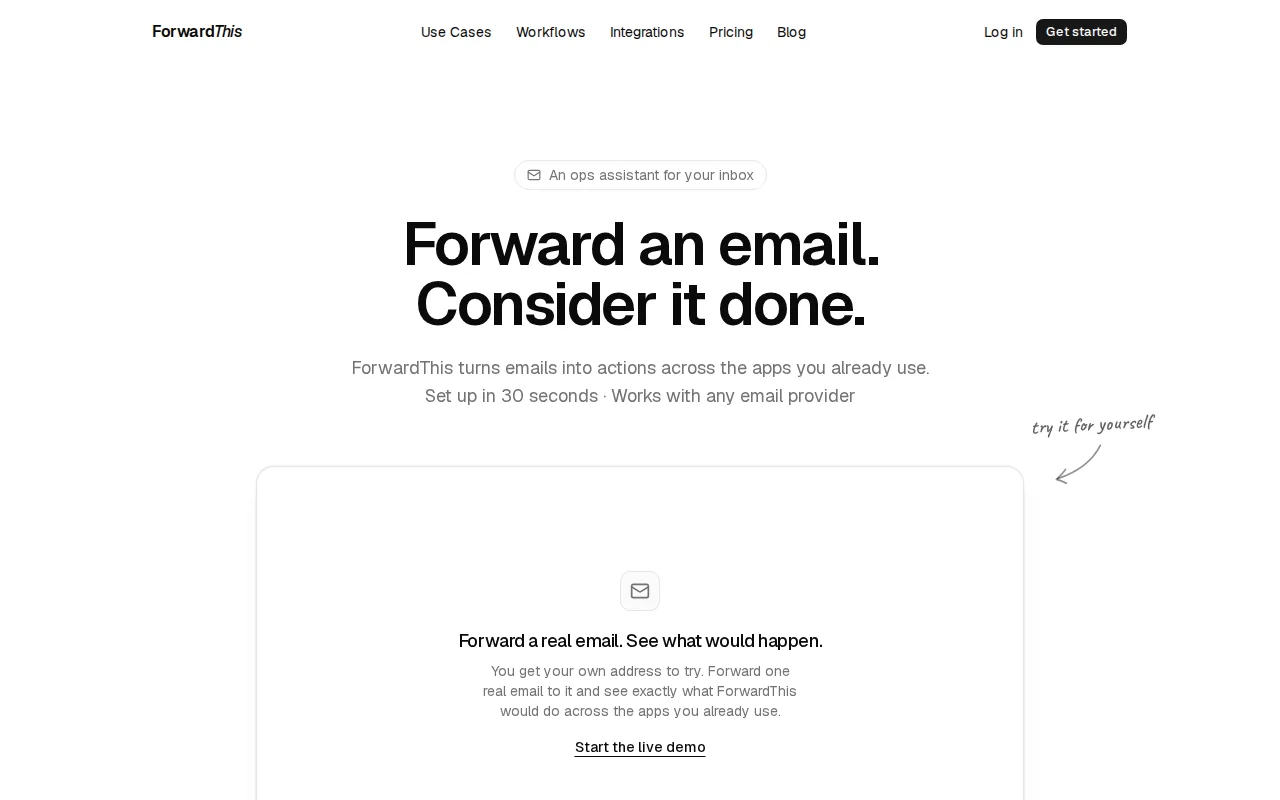
ForwardThis is best for small teams, consultants, agency staff, recruiters, salespeople, and owners who handle their own admin. You don't design a Zap or draw a scenario before each job. You send the request when the work appears.
That difference matters when every email needs a slightly different response. One message may need a CRM contact. The next may need a file saved in Google Drive. Another may need an Asana task and a calendar event.
ForwardThis can work with tools such as HubSpot, Salesforce, Google Drive, Google Calendar, Asana, Notion, Airtable, Slack, Microsoft Teams, OneDrive, Dropbox, Todoist, Trello, Linear, Jira, ClickUp, Monday.com, Zoom, and GitHub. The product's listed integrations are shown on its integrations page.
The human stays in the loop. Forwarded email content is treated as information, while only an authenticated user's instruction can approve an action. Where an action can be safely reversed, ForwardThis supports a 24-hour undo window. Actions that can't be safely undone need approval first.
The limitation is scope. ForwardThis isn't a replacement for a large workflow builder when the same event must trigger a fixed process thousands of times. If you need scheduled polling, deep branching, or a highly repeatable data pipeline, Zapier or Make may be a better fit.
Choose ForwardThis when you don't want to build a workflow for a five-minute job. Try it with an actual email and see whether your daily admin is a better match for delegation than configuration.
2. Zapier, the simpler choice for quick, repeatable automations
In a Zapier vs Make comparison, Zapier is the easier starting point for a fixed sequence. A Zap begins with a trigger, then runs one or more actions. That model is easy to explain to a teammate who has never built automation before.
Zapier is best for small teams or individuals who want quick automations across common business apps. Its biggest edge is ecosystem breadth. Zapier offers more than 8,000 app integrations, although the exact count can change as the catalog grows.
The editor uses a guided, list-based layout. You add a trigger, map the fields, test the step, and then add the next action. That works well for jobs such as creating a CRM lead after a form submission or sending a team alert after a new sale.
Zapier also supports deeper flows. Filters can stop a Zap when a condition isn't met. Paths can send different records in different directions. Formatters can clean or reshape data before the next action. Those additions help Zapier handle more than a basic two-step task, though the interface can feel less clear when a flow grows large.
Its task model is fairly easy to understand. A task generally represents a successful action that moves work forward. A trigger that checks for new data doesn't necessarily consume a task when nothing new appears. That can make a low-volume scheduled workflow easier to forecast than an operation-based model.
Zapier's AI features also aim to reduce setup work. AI Copilot is a guided way to build workflows from a prompt, while AI fields can help with data inside an automation. Treat those features as a starting point, not a reason to skip testing. A generated workflow still needs the right trigger, field mapping, permissions, and failure path.
The trade-off is cost and control. Higher usage can push task-based plans upward, and complex branching may become harder to read. You should also check the exact actions available for each app. Two platforms may both connect to a service while exposing different triggers or actions.
If your team wants to understand the difference between a pre-built workflow and an email instruction, our ForwardThis vs Zapier comparison looks at that specific split. Zapier wins when the same event should reliably produce the same sequence. ForwardThis wins when a person needs to decide what the email means each time.
3. Make, the flexible choice for complex visual workflows
Make is the stronger pick in a Zapier vs Make decision when the workflow has branches, data transforms, loops, or several possible outcomes. It uses a visual canvas where modules connect across the page, so you can see how information moves through the whole scenario.

Make is best for operations-focused teams and advanced users who want more control over the path data takes. A router can split one input into several routes. Filters can decide which route receives a record. Iterators can work through items in a list.
That visual structure is useful for a process such as this: a request arrives, the system checks a database, the result is sent to a regional team, and an exception is logged for review. You can inspect the branches instead of reading a long stack of steps.
The price of flexibility is a steeper learning curve. You need to understand modules, mappings, routers, filters, scenario runs, and error handling. A new builder may spend more time learning the canvas before the first useful automation is ready.
Make's usage model also needs care. Operations or credits can be consumed by steps inside a scenario, and some monitoring or polling patterns may count even when no final business action happens. The exact cost depends on the schedule, the modules used, and the number of records processed.
Make is a good choice when you want to build a process that looks more like a small internal system. It is a weaker fit when you only need a few basic connections or when no one on the team wants to maintain a visual workflow.
Zapier vs Make: pricing, task counts, and workflow complexity
Pricing is where a simple Zapier vs Make comparison can become misleading. The right question isn't only which plan has the lower sticker price. Ask what each platform counts when your workflow runs.
Zapier uses tasks. A workflow that sends a message or creates a record can use a task when that action runs. Internal steps such as filters or paths may not count in the same way as actions that move work forward.
Make uses an operation or credit model tied to scenario activity. A scenario with several modules may use several units during one run. A scheduled watcher can also affect usage, even when it checks and finds nothing new. That makes polling frequency important.
Imagine a workflow that checks a video channel every two minutes. In a task model, the check may not cost a task unless a new item triggers the next action. In an operation model, each check may count. The same business process can therefore have a very different monthly cost.
| Decision point | Zapier | Make | What to test |
|---|---|---|---|
| Basic model | Tasks tied mainly to actions | Operations or credits tied to scenario activity | Run one sample workflow for a full week |
| Best cost fit | Low-volume, short sequences | Complex flows where control matters | Count every module and scheduled check |
| Workflow shape | Trigger followed by actions | Visual routes, filters, and modules | Draw the longest likely path |
| Main risk | Many actions can raise task use | Polling and extra operations can add up | Measure normal and busy months |
For complexity, Zapier is usually the better first pick when the workflow has a straight line. Make earns its place when the process has several routes or needs careful data mapping. A cheaper plan can still be the wrong choice if the person maintaining it loses hours debugging each month.
Before buying, write down the trigger rate, the average number of records, the number of actions per record, and the polling schedule. Run that estimate against the current vendor calculators. Prices and plan limits change, so don't build a budget from an old comparison table.
Zapier vs Make: integrations, interfaces, and customization
Integrations are the first gate in any Zapier vs Make decision. If the platform can't connect to the app or expose the action you need, its other strengths won't help.
Zapier has the broader reported app ecosystem, with more than 8,000 integrations. That breadth helps when your stack includes a less common SaaS tool or when you expect to connect many separate apps over time.
Make lists more than 3,000 integrations. That is still a large catalog. Its advantage is what happens after the connection: Make gives you more room to route records, reshape data, and build conditions inside the same visual scenario.
Check the action list, not just the logo. A connector may support a search but not an update. It may create a record but lack the delete or bulk action your process needs. Test the exact trigger and action with sample data before you design the whole flow.
| If your main question is... | Lean toward... | Reason |
|---|---|---|
| Does it connect to the app I already use? | Zapier | Its reported catalog is broader |
| Can I see the full process at once? | Make | The canvas shows branches and data paths |
| Can a non-technical teammate maintain it? | Zapier | The guided list is easier to explain |
| Can I handle complex routing? | Make | Routers, filters, and mappings fit that design |
| Do I need a human to decide the job each time? | ForwardThis | The request starts with an email instruction |
Interfaces matter too. Zapier's list view keeps the setup approachable. Make's canvas gives more context when a workflow has many paths, but the same view can look busy to a new user. Pick the interface your future maintainer will actually use, not the one that looks most impressive in a demo.
Customization does not always mean writing code. In Make, it can mean mapping fields across modules or adding a filter for a regional rule. In Zapier, it can mean adding a path or formatter. In ForwardThis, customization comes through the instruction, Memory, and Standing Instructions that tell the app which destination or approval rule to use.
Our ForwardThis vs Make comparison covers the usable split: Make runs a scenario you designed ahead of time, while ForwardThis acts on the email you send when the job appears.
Zapier vs Make: AI, reliability, security, and the right audience
AI changes the setup experience, but it doesn't remove the need for clear rules. Zapier uses AI-assisted workflow building and AI fields. Make supports building workflows and AI agents through prompts, visual design, or code.
ForwardThis uses AI in a narrower way. You write, “Save the attached proposal in the Acme folder and remind me Friday.” ForwardThis interprets the email and instruction, then reports back by email. That is useful when the task changes from message to message. It is less suited to a fixed event stream that should run without a person sending a request.
Reliability depends on the whole chain. A platform may run correctly while an app's API is delayed, a field changes, or a permission expires. Test the full path with real sample records. Then inspect run history after a failed test and decide who receives the alert.
Don't treat speed claims as benchmarks. In practice, compare trigger timing, retry behavior, error visibility, and recovery steps during your own trial.
Security needs the same care. Check data retention, user roles, audit needs, app permissions, and where sensitive email content may be processed before connecting customer or employee data.
Choose Zapier when you want fast setup and broad app coverage. Choose Make when your process needs visible branching and careful control. Choose ForwardThis when the work starts in email and you want to delegate the next action without maintaining another builder.
FAQ
Is Zapier or Make better for beginners?
Zapier is usually better for beginners because its guided list makes a trigger-and-action workflow easy to follow. Make gives you more control, but its canvas introduces modules, mappings, routers, and scenario runs. In a Zapier vs Make choice, start with Zapier unless your first workflow already needs several branches.
Is Make cheaper than Zapier?
Make can be cheaper for some complex workflows, but there is no universal winner. Zapier counts tasks tied mainly to actions, while Make counts operations or credits across scenario activity. Polling schedules and module counts can change the result. Estimate your own runs before choosing based on a headline plan price.
Does Zapier have more integrations than Make?
Zapier has the larger reported integration catalog, with more than 8,000 apps. Make has more than 3,000 integrations. The useful test is narrower: confirm that your exact apps support the trigger, search, and action your process needs.
Can ForwardThis replace Zapier or Make?
ForwardThis can replace Zapier or Make for many email-triggered admin jobs, but it isn't a full substitute for every workflow. It fits requests such as updating HubSpot, saving an attachment, or creating a task from an email. Zapier and Make remain better for fixed, high-volume processes that run on their own.
Which tool is best for complex workflows?
Make is usually the best fit for complex workflows because its visual canvas shows branches, filters, mappings, and modules in one view. Zapier can handle multi-step paths, but Make gives advanced users more direct control. If the complexity comes from changing human instructions rather than fixed logic, ForwardThis may be simpler.
Conclusion
Pick ForwardThis when your recurring problem is email-created admin and you want to hand off each job without building a flow. Pick Zapier for the fastest path to repeatable app connections, or Make when the process needs branching and close control. The next step is simple: test one real task in the tool that matches how your work actually arrives.