22 September 2026 · By Sam Thomas
Best Email Organizer App Options for Busy Teams
Discover the top email organizer apps for turning inbox messages into tasks, files, and follow‑ups. Compare features, integrations, and pricing to find the right fit.

Inbox overload steals time from the work that matters. Below is a curated list of the best email organizer apps that turn a single message into a task, a record, or a file without leaving your inbox.
Table of Contents
- ForwardThis
- Todoist — Best for turning emails into personal tasks
- Microsoft To Do — Best for Outlook users
- Google Tasks — Best for Gmail and Google Calendar users
- Lindy AI — Best for proactive email management
- Parseur — Best for extracting structured data from emails
- Email Organizer App Comparison: Which Option Fits Your Workflow?
- FAQ
- Conclusion
1. ForwardThis
ForwardThis is an email‑first operations app that lets you forward any message and add a short instruction. It then performs the action in the business apps you already use and replies with a clear record of what it did.
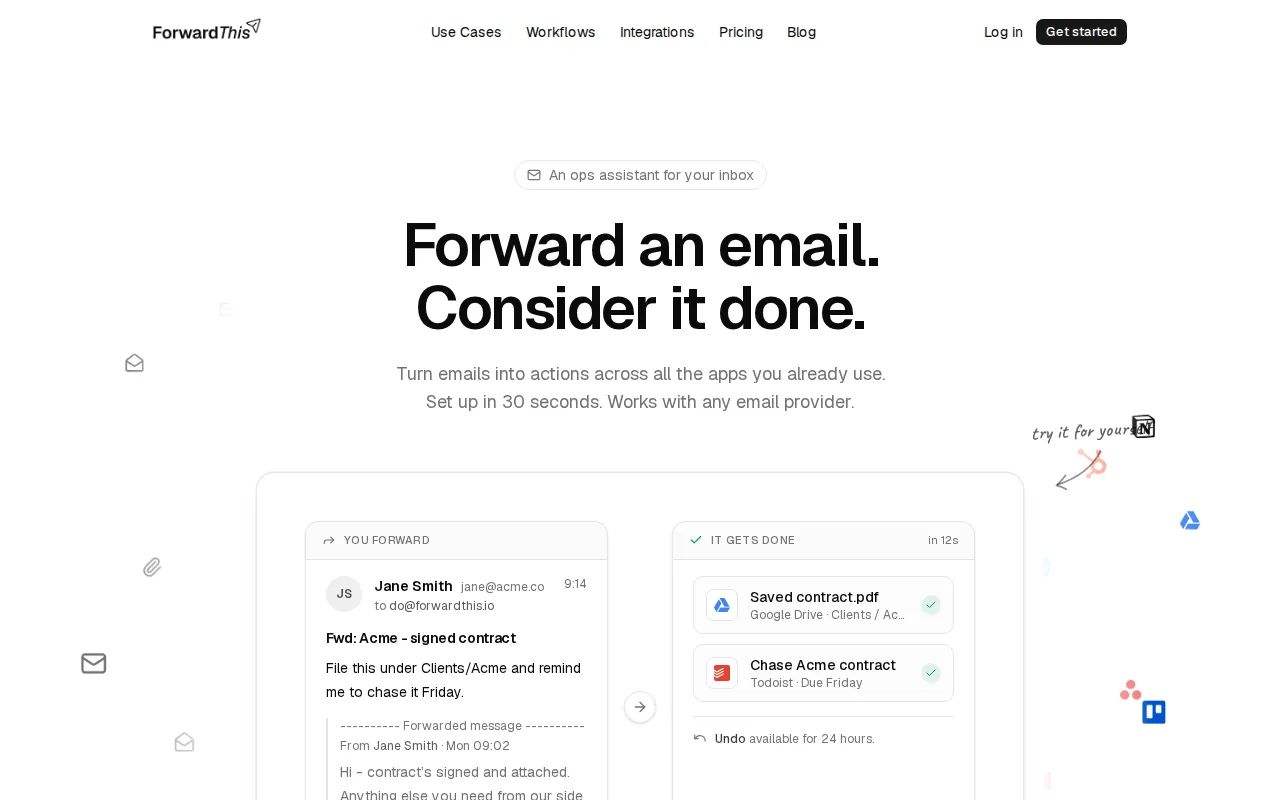
It shines for small agencies, consultants, and founders who need to delegate tiny admin jobs without learning a new UI. For example, you can forward a client brief, write “Create a task in Asana for this and set due Friday,” and the platform will handle the rest.
Because it only sees the emails you forward, privacy stays high, and you keep control over each action. A limitation is that it relies on natural‑language parsing, so ambiguous instructions may need a quick tweak.
ForwardThis also has a persistent memory of decisions and preferences you've set, visible and editable under Memory, so future emails can be handled with fewer words.
Try it with a real email and see how much admin disappears.
2. Todoist — Best for turning emails into personal tasks
Todoist lets you forward an email to a unique address and automatically creates a task. The subject becomes the task name, and the email body appears in the task description.

It’s ideal for freelancers and solo workers who want a simple personal todo list that syncs across devices. The app’s natural‑language parser can detect dates, so “Follow up Friday” turns into a due date without extra steps.
The free tier covers basic task creation, but premium features like labels and filters require a paid plan.
For a deeper look at how email‑first automation works, see our AI Email Organizer: Features, Uses, and Setup guide.
One thing to watch: Todoist stores the full email content in the task, which may raise compliance concerns for highly sensitive messages.
3. Microsoft To Do — Best for Outlook users
Microsoft To Do integrates directly with Outlook. When you flag an email, it instantly appears as a task in the To Do app, preserving the original message for reference.

Because it lives in the Microsoft 365 ecosystem, it shares calendars, reminders, and Teams notifications without extra connectors.
It’s free for anyone with a Microsoft account, making it a low‑cost choice for enterprises already using a compatible productivity suite.
However, the feature only works for emails flagged inside Outlook; forwarding from another client won’t create a task.
4. Google Tasks — Best for Gmail and Google Calendar users
Google Tasks lets you drag an email into the Tasks sidebar, turning the subject into a task title and the email body into notes.

It syncs automatically with Google Calendar, so due dates appear alongside meetings and events.
The app is free and works on any device where you have Gmail, which keeps the learning curve near zero.
If you need ideas on picking the right assistant, our Best AI Email Assistant: How to Use One article walks through common use cases.
One drawback: Google Tasks lacks advanced project‑management features such as sub‑tasks or custom fields.
5. Lindy AI — Best for proactive email management
Lindy AI acts as an AI employee that reads incoming messages and suggests actions before you even open the email. It can propose follow‑ups, schedule meetings, or create draft replies.
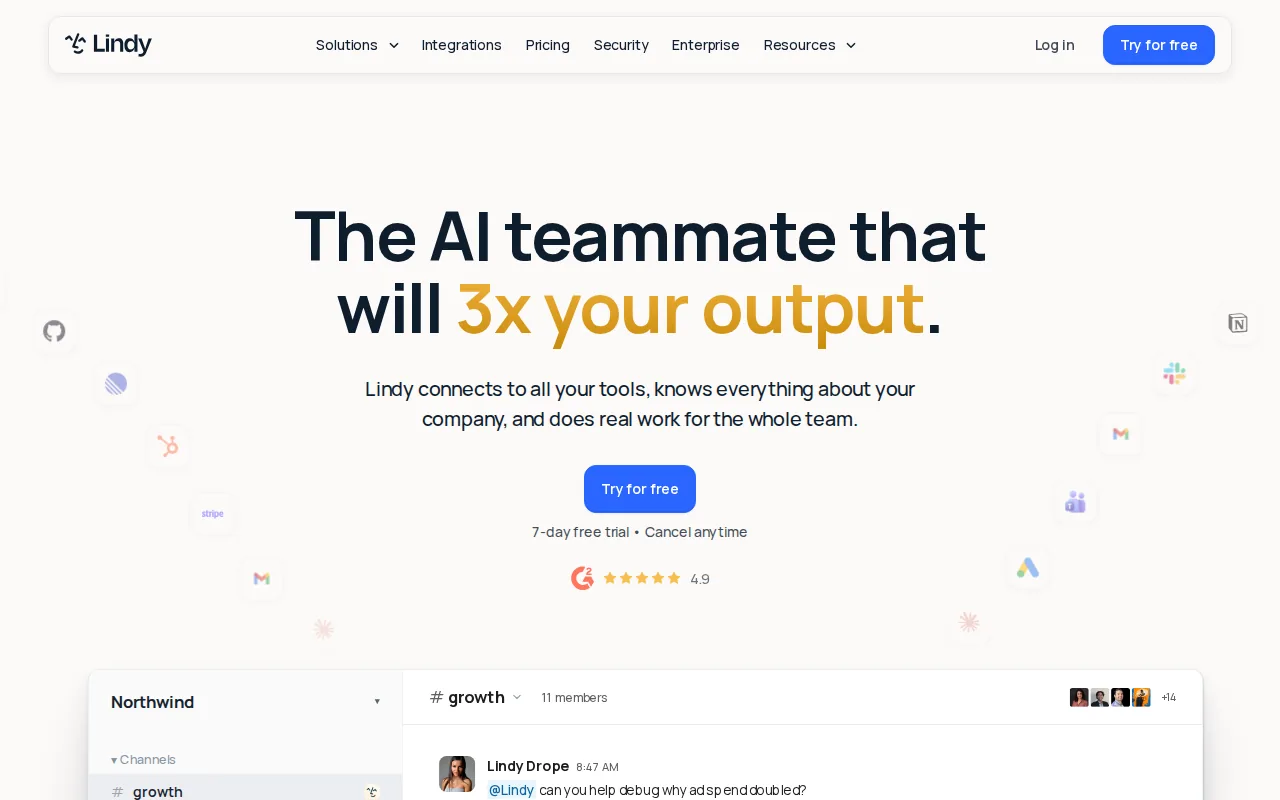
Teams that handle high volumes of sales or support mail benefit from the proactive nudges, which cut the time spent deciding what to do next.
The service offers a free tier for limited usage; paid plans start at $39 per month.
Because Lindy works as a cloud‑based assistant, it needs full mailbox access, which some security‑focused teams may find uncomfortable.
It excels when you want suggestions rather than a one‑click execution model.
6. Parseur — Best for extracting structured data from emails
Parseur is an AI‑powered email parser that pulls fields from email bodies and attachments, then pushes the data into spreadsheets, CRMs, or other apps.
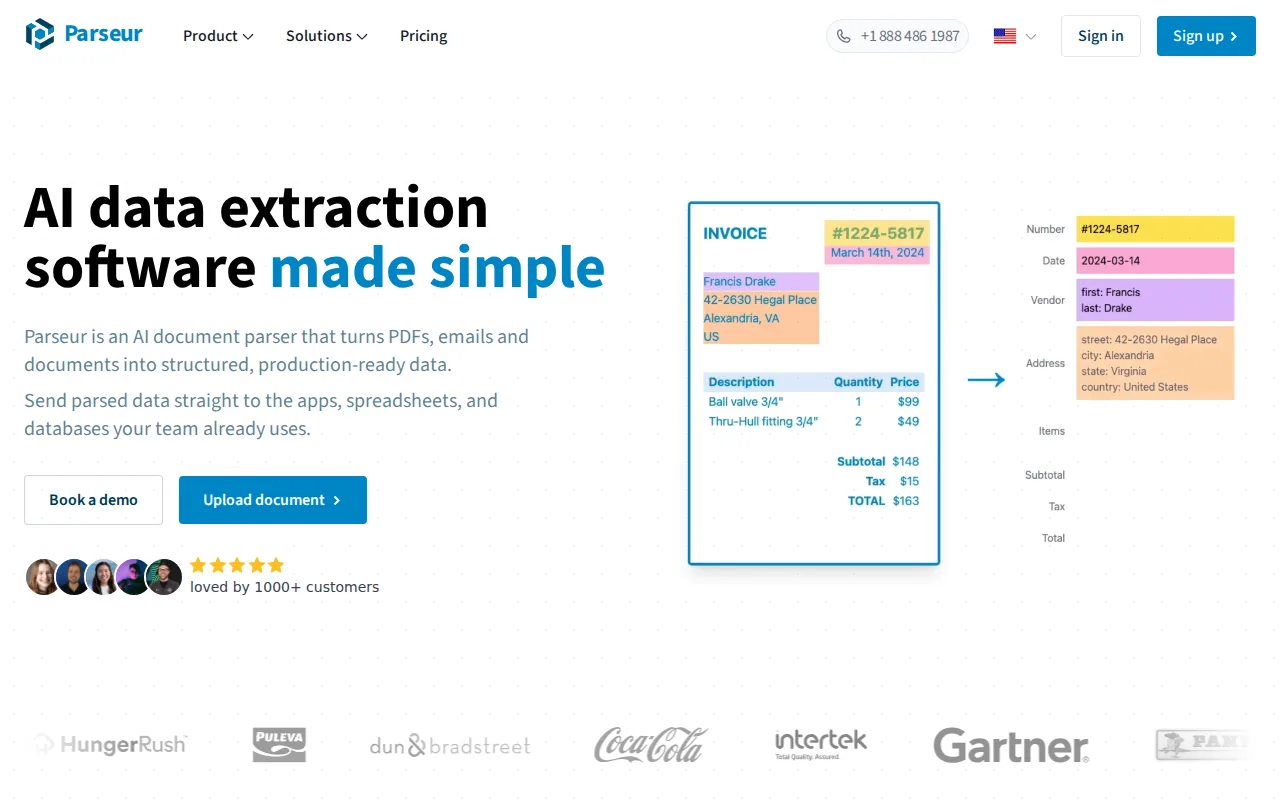
It’s perfect for teams that receive order confirmations, invoices, or lead forms via email and need the data in a structured format.
Parseur offers a free tier with limited monthly parses; paid plans start at a higher level for larger volumes.
For broader context on choosing email tools, read our Best Email Management Tools: A Usable Guide.
The main caveat is that you must define a template for each email type, so it works best when the format is consistent.
Email Organizer App Comparison: Which Option Fits Your Workflow?
Below is a quick matrix that helps you match a tool to the way your team works.
| Tool | Integration depth | Best for | Pricing model |
|---|---|---|---|
| ForwardThis | Works with 145 apps via email commands | Small agencies, consultants | Free tier; paid plans per action |
| Todoist | Zapier bridge; native email address | Solo workers, freelancers | Free; Premium from $7/mo |
| Microsoft To Do | Outlook flag sync | Microsoft ecosystem teams | Free |
| Google Tasks | Gmail drag‑and‑drop | Google Workspace users | Free |
| Lindy AI | Cloud inbox reader, AI suggestions | High‑volume support or sales inboxes | Free tier; $39/mo onward |
| Parseur | Parser → Zapier/Make integration | Teams that need structured data from emails | Free tier; paid plans scale with parses |
According to Wikipedia, email clients that expose raw messages make it easier for third‑party tools to act on them, which is why most of these apps rely on forwarding or flagging.
FAQ
Can I use an email organizer app with multiple email accounts?
Yes, most tools let you forward from any address that can send email. ForwardThis, Todoist, and Parseur all work with Gmail, Outlook, or custom domains as long as you set up the forward address.
Do these apps store my email content?
ForwardThis only keeps the content briefly to perform the action, then discards it. Parseur stores parsed data for the duration of the workflow, while Todoist and Google Tasks retain the full email body inside the created task.
Is there a free option that integrates with HubSpot?
ForwardThis offers a free tier and can push contacts or deals into HubSpot via email commands. Microsoft To Do and Google Tasks are also free but need extra steps to reach HubSpot.
What happens if an email contains multiple attachments?
ForwardThis can save each attachment to the designated folder in Google Drive or Dropbox in one go. Parseur can extract each file and send them to a storage service via Zapier.
Can I undo an action if I made a mistake?
ForwardThis provides a 24‑hour undo window for reversible actions. Other tools rely on the destination app’s own undo or version‑history features.
Looking for a quick win? Start with ForwardThis’s free plan, forward a single email, and watch the admin disappear.
Conclusion
For busy teams that need instant inbox‑to‑action power, ForwardThis is our recommendation. Sign up, forward a test email, and let the automation do the heavy lifting.